Campsite
Assign tents fast
Set your tent numbers, assign names in seconds and keep everything organised before you arrive. Your list auto-saves, so nothing gets lost.
Your list auto-saves instantly, so you can plan without worrying about losing progress.
Paste your group list once and fill every tent quickly without manual typing.
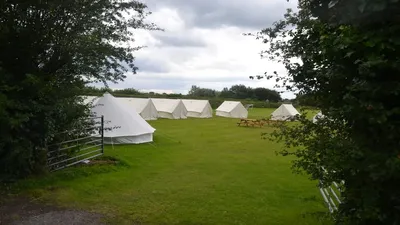
Your stay details
Stay flexible — adjust tent numbers at any time without losing your assigned
names.
0 / 0 assigned
Auto-save ready
Keep tents organised
Max 8 people per tentAssign every space clearly so arrival runs smoothly and leaders know exactly where everyone goes.
Next steps
Finish with confidence
1. Print it
Give each leader a clear list so setup is fast and controlled on arrival.
2. Save to this device
Keep a copy saved on this device so your plan is ready when you arrive.
3. Plan the field
Position your tents in advance so your setup runs smoothly on site.
Starting over?
Reset everything quickly and build a fresh plan for your next group.
Check dates and secure your space
Share your group size and tent plan and get a clear, fast quote so you can book with confidence.