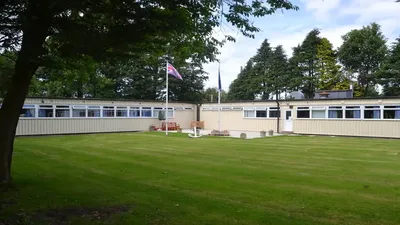
Centenary Hall
Interactive Floor Plan
Click any room to see its use, bed count and key details. Filter by type to focus on dorms, leader rooms or facilities — then use the bedding list to assign names to beds.
Click or tap any room on the plan to see its details in the panel alongside.
Use the filter buttons to highlight specific room types across the building.
How it works
Using the plan
- Click any room on the plan to see details
- Click a bed badge on any bedroom to open the allocation form
- Enter a name for each bed and hit Save & close
- A green dot on the badge means that room has names entered
- Open the bedding list to print or send to the Centre
Room key
Dorm rooms (6–14)
3–7 beds · click badge to allocate
Leader rooms (2–5)
1 bed each · click badge to allocate
Facilities
Showers, toilets, kitchen, storage
Main hall
Dining and activity space
Allocation progress
Beds assigned
Beds assigned: 0 / 49
Save & send
When you're ready
Once you've assigned names to each room, print the list or send it to the Centre for the fire safety register.
Floor plan
Centenary Hall — room layout
All rooms, bed numbers, facilities and the main hall at a glance.
Filter room types:
Dorm rooms
Leader rooms
Facilities
Main hall
Room details
Main Hall
HallMultipurpose Dining Room & Activity Hall — the main space for meals, sessions and indoor activities.
Ready to book or just want to explore?
Tell us your dates and numbers and we'll confirm availability, suggest the best layout and send a clear quote — no obligation.