Stedfast Lodge
Interactive Floor Plan
Click any room to see its use, bed count and key details. Filter by type to focus on bedrooms, facilities or the main room — then use the bedding list to assign names to beds.
How it works
Using the plan
- Click any room on the plan to see details
- Click a bed badge on any bedroom to open the allocation form
- Enter a name for each bed and hit Save & close
- A green dot on the badge means that room has names entered
- Open the bedding list to print or send to the Centre
Room key
Allocation progress
Beds assigned
Save & send
When you're ready
Once you've assigned names to each room, print the list or send it to the Centre for the fire safety register.
Floor plan
Stedfast Lodge — room layout
All rooms, bed numbers, facilities and the main activity room at a glance.
Filter room types:
Room details
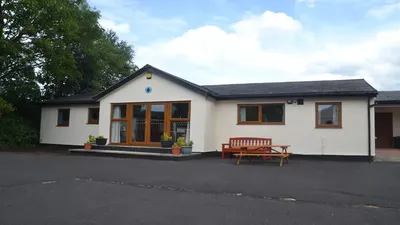
Multi-Purpose Dining & Activity Room
Main roomMain space for meals, sessions and indoor activities.
Bring your school to Stedfast Lodge and the Campsite
From curriculum linked residential stays to outdoor education days, Stedfast Lodge and our on site campsite work brilliantly together giving schools a flexible indoor outdoor base for fieldwork, team building and adventure activities.
School packages are developed in conjunction with The Wright Adventures with pricing set on a bespoke basis dependant on agreed program